


Tap Color Pro: Color By Number
4.625.83K Reviews
App Specs
- Version
- 7.7.4
- Updated On
- License
- Free
- Downloads
- 50,000,000+
- Developer
- Tap Color Studio
- Categories
- Board
- Platform
- Android, iOS
Screenshots
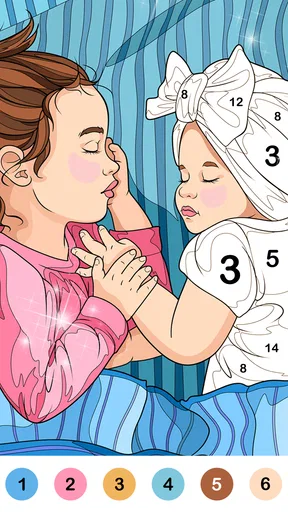

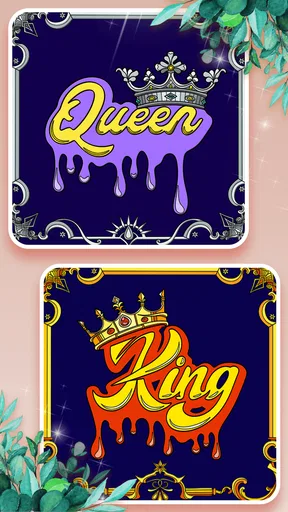
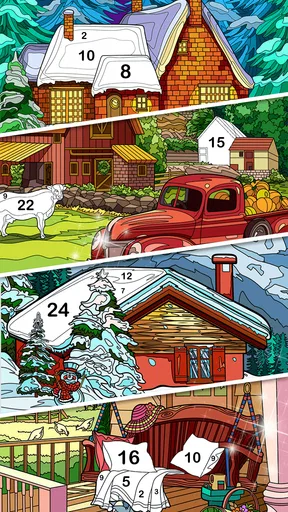
 Analysis by AppCompare
My first few sessions with Tap Color Pro: Color By Number had the easy appeal I want from a casual board-style game: I could open it, choose a picture and begin filling numbered areas without learning a complicated system. That makes it a natural choice for a short break when I want something to do with my hands but don’t feel like tackling a demanding game. The real question, though, is whether that gentle routine still feels worthwhile after the first burst of novelty has passed.
The first-week appeal is all about a low barrier to entry
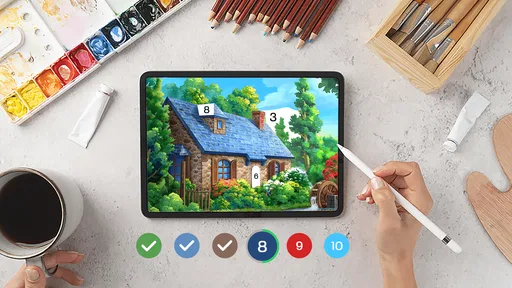
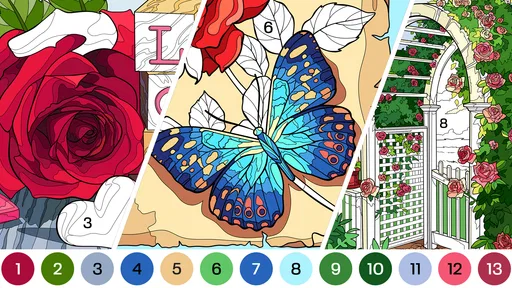
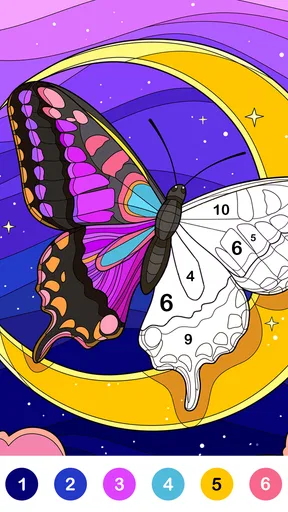
The basic loop is clear: choose a picture, find the matching number, and tap the sections that need that color. I don’t need drawing experience or a plan for composing an image, so the app gives me a small, achievable task right away. That can be especially welcome at the end of a busy day, when even choosing a game with lots of rules feels like work.
As a coloring game from Tap Color Studio, it sits between a traditional paint-by-number book and a conventional mobile puzzle. Compared with a free-form drawing app, it asks for less skill and offers more guidance; compared with a fast puzzle, it is slower and less focused on winning. I’d choose it when I want a calm activity rather than a score to chase. That difference is also its main limitation: anyone looking for strategic decisions, competition or a strong sense of progression may find the routine too passive.
Small sessions suit the format better than a long marathon
A realistic use for me is opening it during a quiet stretch between chores, completing part of an image, then putting my phone away. The numbered areas give the session a clear place to start, and I can stop when I’m ready without needing to finish a level to make the time feel useful. For a commute or waiting room, it can occupy a few minutes without demanding the concentration of a story-heavy game.
There’s a practical trade-off: coloring depends on looking closely and tapping small spaces, so it is not the best companion when I need to keep my eyes on something else. I wouldn’t treat it as a hands-free activity or use it while walking. If I’m tired enough that focusing on a screen feels uncomfortable, an audio activity or a simple offline break is a better fit.
Does the routine hold up over time?
I judge the routine less by whether I open it every day and more by whether it still feels like a pleasant choice when I do. In my experience, keeping sessions short and choosing a picture that suits my available attention helps prevent a relaxing pastime from turning into another obligation. That makes the next question less about how often I return and more about what still makes those returns worthwhile.
Month-to-month value comes from variety, not challenge
The app is free to download, and its 4.6 average from around 218,000 ratings, alongside more than 50 million installs, points to a large audience for this kind of relaxed play. Those figures don’t tell me whether I’ll personally stick with it, but they do place it among familiar, widely used coloring games rather than an obscure experiment. The content is presented for everyone, which helps make the basic activity approachable across ages.
Worth Reading Before You Choose

Flipboard Shows What News Apps Must Do Beyond the Feed

Switching to Android Auto Means Rethinking Your Driving Routine

Google Calendar Makes a Crowded Week Easier to Manage

Ludo King Makes the Most of the Minutes Between Plans

Baby Panda World Brings Quick Play to Modern Phones, but Its Game Library Feels Busy

ESPN’s Live Game View Makes Following Close Games Easier
Tap Color Pro’s changing selection of pictures gives me a reason to return when I’ve finished one design, and saving or sharing completed artwork adds a small sense of closure. I find that more useful when I treat each image as a short project, rather than expecting the app to become a deep hobby. If I want to make my own composition or develop drawing skills, a sketching app or paper supplies offer more room to experiment; this game is better when I want structure and a ready-made image.
A simple workflow can make coloring less fiddly
One useful habit is to choose an image based on the time and attention I actually have. A design with lots of small sections can make a brief session feel stop-start, while a simpler picture is easier to pick up when I only have a few minutes. I also get more satisfaction by finishing one color group at a time instead of bouncing between every visible number. It gives the session a natural rhythm and makes it easier to see progress.
For a longer break, I can leave a picture unfinished and return to it later rather than treating completion as a requirement. That flexibility matters in a casual game: if I turn every image into a task I must finish, the relaxing part can disappear. Sharing is best treated as an optional way to show a finished result, not a reason to color faster or choose pictures I don’t actually enjoy.
Maintenance is light, but the business model deserves attention
The game’s current version is 7.6.9, and it runs on Android 6.0 or later. It is free, with in-app purchases ranging from $0.99 to $49.99 per item, so I’d be comfortable trying it without paying but would keep an eye on purchase prompts and spending choices. If a child is using it, I’d set expectations about optional purchases before handing over the device. That is more useful than assuming every part of a free-to-start game will remain outside the payment flow.
Keeping a coloring game in rotation also takes a small amount of personal maintenance: I have to decide whether new pictures are still appealing, whether I’m opening it because I want to color or just out of habit, and whether notifications or screen time are interrupting more than they help. I don’t need to build a daily streak around it. Returning when I genuinely want a quiet activity is a healthier test of its lasting value than forcing myself to check in every day.
Where repetition can set in
The numbered format is both the comfort and the ceiling. It removes the stress of choosing colors from scratch, but it also means I’m following a design rather than making artistic decisions. After a while, the taps can feel repetitive, especially if I’m moving through pictures mainly to clear them. The app is not the right choice when I want a game with varied mechanics, meaningful tactical choices or a fresh challenge each session.
There can also be a mismatch between the promise of relaxation and how I feel in the moment. Tiny sections and extended screen time may make me want to pause, even if the activity itself is gentle. I’d switch to a larger, simpler picture or stop for the day instead of pushing through. If the satisfaction comes from creating something original, I’d move to freehand drawing; if it comes from solving problems, a logic or board game is likely a better match.
Who I’d recommend it to—and who may prefer something else
I’d recommend Tap Color Pro to someone who enjoys orderly, low-pressure tasks, likes seeing an image gradually fill in, and wants a casual activity that can fit around a day rather than take it over. It may also suit families looking for an approachable coloring activity, provided an adult handles purchase settings and helps younger players take screen breaks. People who dislike repetitive tapping, want to draw freely, or prefer games with a clear competitive goal should probably look elsewhere.
For me, it earns space on a phone when I use it as an occasional wind-down option, not as a hobby I have to maintain. Its strongest lasting value is convenience: a ready-to-color picture is there when I want a small, contained creative break. If that kind of routine still feels pleasant after the novelty fades, it can remain a useful casual game; if I start opening it only from habit, there is no reason to force it.
Easy Peasy, Lemon Squeezy
The concept behind Tap Color Pro is as simple as it gets. You’re given a picture divided into several segments, each marked with a number. Your job? Just tap on the colors that correspond to each number. It’s like painting by numbers but on your phone. The intuitive design makes it super easy to dive right in, even if you're a newbie like me. No tutorials needed—just open the app and start coloring your heart out.
A Kaleidoscope of Colors
One of the things I absolutely love about this app is the vast array of colors it offers. Seriously, it feels like every shade of the rainbow is at your fingertips. Whether you're coloring a serene landscape or a vibrant mandala, there’s a color for every mood and every picture. I found myself getting lost in the process, completely absorbed in mixing and matching different hues.
Art for Everyone
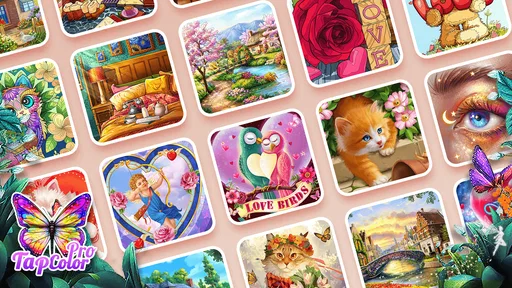
Now, if you’re thinking this app is just for the budding Picassos, think again. Tap Color Pro caters to all levels. Whether you’re an experienced artist or someone who thinks they can only draw stick figures, there’s something here for you. The app offers a wide range of pictures to choose from—animals, flowers, famous landmarks, you name it. It's an open invitation for anyone to explore their creative side.
Unwind and Relax
Let’s talk about the relaxation aspect. With today’s fast-paced life, finding time to unwind can be challenging. But spending just a few minutes on this app can feel like a mini escape. The gentle tapping of colors is oddly satisfying and incredibly therapeutic. It's like meditation, but with a splash of color. It’s truly a fantastic way to disconnect from the daily grind and refocus your mind.
Features That Shine
What sets Tap Color Pro apart are its standout features. The app allows you to save your artwork and share it with friends and family. Imagine sending a colorful masterpiece to your loved ones just to brighten their day. Plus, there's a daily update feature that keeps the content fresh. You’ll never run out of new pictures to color, which is a huge bonus if you're someone who likes variety.
A Few Little Extras
And if you're wondering about the technical side, the app runs smoothly without any glitches. The interface is clean and user-friendly, making navigation a breeze. I also noticed the app doesn’t drain the battery much, which is a big plus for those long coloring sessions.
Wrapping It All Up
In conclusion, Tap Color Pro: Color By Number is more than just an app—it’s a portal to creativity and relaxation. Whether you're looking to kill time, relieve stress, or simply explore your artistic side, this app is worth a try. With its vast selection of images and soothing coloring experience, it’s hard not to fall in love with it. So why not give it a go? You might just find your new favorite pastime.
Remember, it’s not about being perfect; it’s about enjoying the process. Happy coloring!
Pros
- Easy-to-use interface for all ages.
- Wide range of images to choose from.
- Regular updates with new content.
- Offline mode available for coloring.
- Soothing music enhances the experience.
Cons
- Ads can be intrusive during sessions.
- Some premium content requires payment.
- Limited color palette in free version.
- App size may be large for some devices.
- Occasional lag on older devices.
FAQs for Tap Color Pro: Color By Number
What is Tap Color Pro: Color By Number?
Tap Color Pro: Color By Number is a mobile application designed for relaxation and creativity. It offers a variety of intricate designs and artworks that users can color by following a number guide. The app is available on both Android and iOS, providing a seamless experience for users who enjoy art and stress relief.
Is Tap Color Pro free to use?
Tap Color Pro offers a free version with access to a limited number of artworks. However, for an enhanced experience with an extensive library and additional features, users can opt for the premium version through in-app purchases. This subscription model allows for an ad-free experience and exclusive content.
How does the coloring process work in Tap Color Pro?
The app uses a simple color-by-number system. Each area of the artwork is marked with a number corresponding to a specific color. Users simply tap on the numbered area to fill it with the designated color. This intuitive system makes it easy for anyone to create beautiful pieces without prior artistic experience.
Are there any special features in Tap Color Pro?
Yes, Tap Color Pro includes several special features such as daily updates with new artworks, a variety of themes to choose from, and the ability to share completed works on social media. It also offers a relaxing soundtrack to enhance the coloring experience, making it more immersive and enjoyable.
Can Tap Color Pro be used offline?
Tap Color Pro requires an internet connection to download new artworks and updates. However, once the artworks are downloaded, users can color offline at their convenience. This feature is particularly useful for users who want to enjoy the app without worrying about connectivity issues.


